
Gemini is Google’s family of generative artificial intelligence models and the name of its AI assistant. It can respond to prompts, analyze supported files and media, generate content, help with research, and work with selected Google services.
The software is intended for individuals, students, developers, researchers, creative professionals, and organizations. Available capabilities depend on the Gemini model, account type, subscription, country, language, device, and whether the service is used through the Gemini app, Google Workspace, Google AI Studio, or Vertex AI.
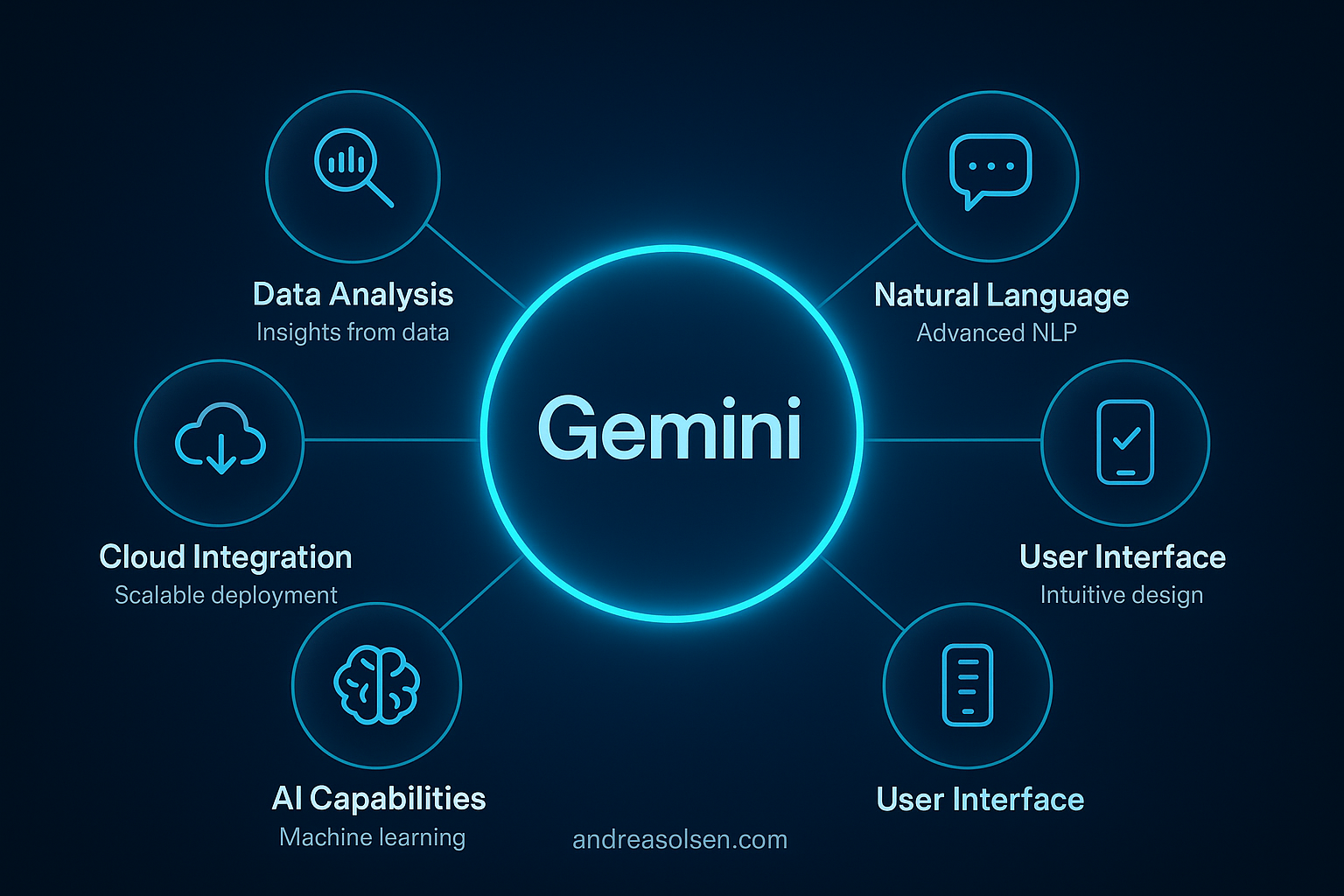
People use Gemini to summarize information, draft text, explore ideas, analyze documents, write code, and complete tasks across supported Google products. As with other generative AI systems, its responses require review because Google states that Gemini can produce inaccurate or inappropriate information.
Quick Facts
| Item | Details |
|---|---|
| Developer | Google LLC |
| Founded | Google was founded in 1998. The conversational service launched as Bard in 2023 and was renamed Gemini in 2024. |
| Headquarters | Mountain View, California, United States |
| Category | Generative artificial intelligence |
| Platforms | Web, Android, and iOS; Gemini features are also available in selected Google products and developer platforms |
| Deployment | Primarily cloud-based; selected Android capabilities can use on-device AI models |
| Free Plan | Yes |
| Paid Plans | Yes, including eligible Google AI subscription plans and business offerings |
| API | Yes, through the Gemini API in Google AI Studio and through Vertex AI |
| Open Source | No. Gemini is proprietary; Google’s separately released Gemma models are open-weight models. |
| Mobile Apps | Yes, for Android and iOS |
| Official Website | Official Website |
What Is Gemini?
Gemini is both a collection of multimodal AI models developed by Google and a user-facing assistant powered by those models. Multimodal means that supported models can work with more than one type of information, including text, images, audio, video, and computer code.
Users generally interact with the assistant by entering a prompt, uploading supported content, or speaking through Gemini Live. Gemini interprets the request and generates a response based on its models, the supplied context, and information retrieved from enabled tools or connected services when applicable.
The consumer Gemini app supports activities such as answering questions, drafting and rewriting text, summarizing documents, analyzing images, planning projects, and generating code. Some responses include links to sources, although citations and source availability vary by query and feature.
Google also provides Gemini for professional and technical environments. Gemini features are integrated into eligible Google Workspace editions, while developers can access supported models through Google AI Studio, the Gemini API, or Vertex AI on Google Cloud.
The software addresses tasks that would otherwise involve searching through multiple sources, producing an initial draft, reviewing a large document, or switching between separate applications. It does not replace independent verification, professional judgment, or subject-matter expertise, particularly for legal, medical, financial, or safety-critical decisions.
Key Features
The exact feature set varies across free and paid accounts, devices, regions, and Google products. Officially documented Gemini capabilities include the following:
- Conversational assistance: Users can ask questions, request explanations, brainstorm ideas, revise responses, and continue a discussion using the context of the current conversation.
- Multimodal input: Supported Gemini experiences can process combinations of text, images, audio, video, code, and uploaded documents. File types, size limits, and usage limits depend on the product and model.
- File analysis: Users can upload supported documents and other files to request summaries, comparisons, data extraction, explanations, or answers based on the supplied material.
- Deep Research: This feature develops a research plan, searches and evaluates information from the web, and produces a structured report with source links. Access and usage limits differ by plan.
- Gemini Live: The mobile experience supports spoken, conversational interactions. On compatible devices, documented capabilities include discussing camera input or shared screen content, subject to operating system and regional availability.
- Canvas: Canvas provides an interactive area for drafting and refining documents or code. Users can request edits, adjust written content, preview supported code, and continue revising the result.
- Gems: Users can create customized versions of Gemini with instructions for a particular role or recurring task. Google also provides premade Gems, while availability can depend on account type.
- Image generation and editing: Gemini can create images from text prompts and supports documented image-editing workflows. Google applies safeguards and uses SynthID technology to embed an imperceptible digital watermark in AI-generated content produced by supported Google models.
- Coding assistance: Gemini can explain code, propose implementations, identify possible errors, and generate code in multiple programming languages. Generated code still requires testing, security review, and license compliance checks.
- Google service connections: With supported extensions or connected apps enabled, Gemini can retrieve information from selected Google services and assist with cross-service tasks.
- Temporary chats and activity controls: Google provides controls for Gemini Apps Activity and temporary conversations. Data retention and handling differ according to settings, account type, and applicable organizational protections.
Model access is another important distinction. Google offers several Gemini model variants optimized for different combinations of capability, speed, context, and cost, but not every model is available in every interface or subscription.
Use Cases
Gemini can support personal productivity by drafting emails, creating checklists, explaining unfamiliar topics, planning an itinerary, or summarizing user-provided material. Connections to supported Google services can reduce the need to copy information manually between applications.
Students and educators can use it to generate practice questions, simplify explanations, compare concepts, and organize study notes. AI-generated educational content should be checked against course materials, and its use must comply with institutional academic-integrity policies.
Writers, marketers, and communications teams can create outlines, explore alternative wording, summarize source material, or adapt drafts for different audiences. Human review remains necessary for factual accuracy, brand requirements, originality, and legal compliance.
Developers can use Gemini to discuss system designs, explain unfamiliar code, create test cases, or prototype functions. Through the Gemini API or Vertex AI, development teams can build applications that use supported Gemini models for tasks such as extraction, classification, question answering, or multimodal analysis.
Organizations using eligible Google Workspace editions can apply Gemini within supported productivity workflows. Examples include summarizing email threads, preparing document drafts, organizing information from Drive, generating material in Slides, and assisting with spreadsheet analysis where the relevant feature is available.
Researchers and analysts can use Deep Research or file analysis to prepare an initial overview of a subject. The resulting reports are useful as starting points, but primary sources, quotations, dates, and numerical claims should be verified separately.
Pricing & Plans
Gemini has a free consumer tier and paid Google AI plans. Prices, taxes, trial offers, included benefits, age requirements, and availability vary by country, so the amount displayed in the subscriber’s Google account is the applicable local price.
| Option | Published details |
|---|---|
| Gemini free access | No subscription charge. It includes access to the Gemini app with model, feature, storage, and usage limits set by Google. |
| Google AI Pro | The published United States list price is $19.99 per month. It includes higher access to Gemini features, 2 TB of Google storage, and Gemini in supported Google applications, subject to eligibility and limits. |
| Google AI Ultra | The published United States list price is $249.99 per month. It provides Google’s highest consumer access levels for selected AI models and features, along with 30 TB of storage and additional benefits, subject to availability and usage limits. |
| Business and education access | Gemini capabilities are included in or offered through eligible Google Workspace and Google Workspace for Education editions. Pricing and feature availability depend on the edition, contract, region, and administrator settings. |
| Gemini API | Google publishes a free tier for eligible models and paid, usage-based rates. Charges differ by model, input and output tokens, context size, grounding, media type, caching, and other API services. |
| Vertex AI | Usage-based Google Cloud pricing applies. Rates depend on the selected Gemini model, processing method, data type, region, and associated cloud services. |
Google may offer trials or temporary introductory discounts, but these are not permanent list prices. Subscribers should review the current Google AI plan page before purchasing, while developers should use the official Gemini API or Vertex AI pricing documentation for workload-specific charges.
Pros & Cons
Pros
- Supports multimodal prompts and content across several documented formats.
- Provides a free entry point for general use without requiring a paid subscription.
- Connects with selected Google services and appears within eligible Google Workspace applications.
- Offers consumer interfaces, mobile applications, an API, and a managed Google Cloud deployment option.
- Includes specialized tools such as Deep Research, Gemini Live, Gems, and Canvas.
- Can help users produce initial drafts, summarize supplied material, analyze files, and explore code.
Cons
- Google warns that Gemini can generate inaccurate, incomplete, or inappropriate responses.
- Features, models, and usage limits differ by subscription, language, account, device, and country.
- The Gemini models are proprietary, so their complete model weights and training details are not publicly available.
- Some advanced capabilities require a paid plan and remain subject to usage limits.
- Connected services can involve sensitive account data, requiring users and administrators to examine privacy settings and organizational policies.
- Cloud-based functions generally require an internet connection, while only selected capabilities are available on-device.
Integrations
Gemini officially connects with selected Google services. Consumer connected apps include documented support for services such as Gmail, Google Calendar, Google Docs, Google Drive, Google Keep, Google Tasks, Google Maps, YouTube, Google Flights, and Google Hotels, although availability varies by device, language, region, and account.
On supported Android devices, Gemini can interact with selected device utilities and communication applications. Documented examples include making calls, sending messages, using WhatsApp, controlling certain device settings, and working with supported media applications. Permissions and default-app settings determine what Gemini can access.
Within eligible Google Workspace editions, Gemini is available in supported applications including Gmail, Docs, Sheets, Slides, Drive, Meet, and Chat. The precise feature set differs by application and Workspace edition, and administrators can control access for organizational accounts.
Developers can integrate Gemini-powered functions into their own products through the Gemini API in Google AI Studio. Google Cloud customers can use Gemini models through Vertex AI, which supports enterprise development, deployment, security, governance, and monitoring workflows within Google Cloud.
Not every service that can exchange data with Gemini should be treated as an official integration. Browser extensions, automation platforms, or third-party connectors are outside this list unless Google identifies and supports them as part of the relevant Gemini product.
Who Should Use Gemini?
Gemini is suited to people who need a general-purpose AI assistant for writing, research, document review, learning, planning, coding, or creative exploration. It is particularly relevant to users already working with Google services because supported connections can bring information from those services into an AI-assisted workflow.
Knowledge workers in marketing, operations, consulting, education, software development, customer support, and research may benefit from its drafting and analysis functions. Whether it is appropriate depends on the sensitivity of the data, the required level of accuracy, and the organization’s rules for generative AI.
Developers and technical teams can consider the Gemini API for prototyping or deploying AI features. Organizations requiring Google Cloud infrastructure, access controls, regional options, and managed AI services can evaluate Gemini through Vertex AI instead of relying on the consumer application.
Gemini is less appropriate when a task demands guaranteed accuracy, deterministic output, or unsupervised professional advice. Users handling confidential, regulated, or personally identifiable information should confirm that their account type, data protections, retention settings, and intended workflow satisfy applicable requirements.
Frequently Asked Questions
Is Gemini free?
Yes. Google provides free access to the Gemini app, but the free tier has model, feature, and usage limits. Paid Google AI plans provide higher limits and access to additional capabilities, while business subscriptions and developer services use separate pricing structures. Plan names, local prices, trials, and included features can change by country, so users should verify the current terms shown by Google before subscribing.
What is Gemini used for?
Gemini is used for answering questions, drafting and rewriting text, summarizing files, analyzing supported media, conducting research, generating images, discussing ideas, and assisting with programming. It can also work with selected Google services when the required connections and permissions are enabled. Businesses can use Gemini within eligible Workspace applications or build AI-enabled products through the Gemini API and Vertex AI.
Is Gemini worth it?
Its value depends on the required features, usage volume, existing Google services, and tolerance for AI-generated errors. Free access may be sufficient for occasional questions or drafting, while paid plans provide higher limits and additional tools. Organizations should compare subscription or API costs with expected time savings, security requirements, and the cost of reviewing outputs. No generative AI service can remove the need for human verification.
Who should use Gemini?
Gemini can be used by individuals, students, educators, writers, analysts, developers, and organizations that need assistance with information processing or content creation. It may be especially practical for users of Google Workspace and Google Cloud. People working with regulated or confidential data should use an account and deployment that provide appropriate contractual and administrative protections rather than assuming the consumer application meets organizational requirements.
What are the best alternatives to Gemini?
Common alternatives include OpenAI’s ChatGPT, Anthropic’s Claude, Microsoft Copilot, and Perplexity. Their model access, source handling, office integrations, coding tools, context limits, data policies, and prices differ. There is no universally best option: the appropriate choice depends on whether the priority is research, writing, software development, enterprise administration, ecosystem integration, multimodal input, or API deployment. Current plans and privacy terms should be compared directly.
Conclusion
Gemini is Google’s multimodal generative AI platform and assistant. It supports conversational help, content drafting, file and media analysis, research, image creation, coding assistance, and connections with selected Google services.
Its main strengths are the range of supported input types, availability across consumer and developer environments, and integration with eligible Google products. It serves individuals as well as teams using Workspace, Google AI Studio, or Vertex AI.
Its limitations include the possibility of inaccurate output, differences in regional and plan availability, usage limits, and the proprietary nature of the underlying models. Suitability therefore depends on the user’s workflow, budget, privacy requirements, and ability to verify generated results.
🤖 About This Guide
This guide was created using a custom AI-powered automation workflow built with n8n, OpenAI and WordPress.
The system automatically researches, writes, formats and publishes objective software tool reviews while maintaining a consistent structure, editorial quality and SEO best practices.