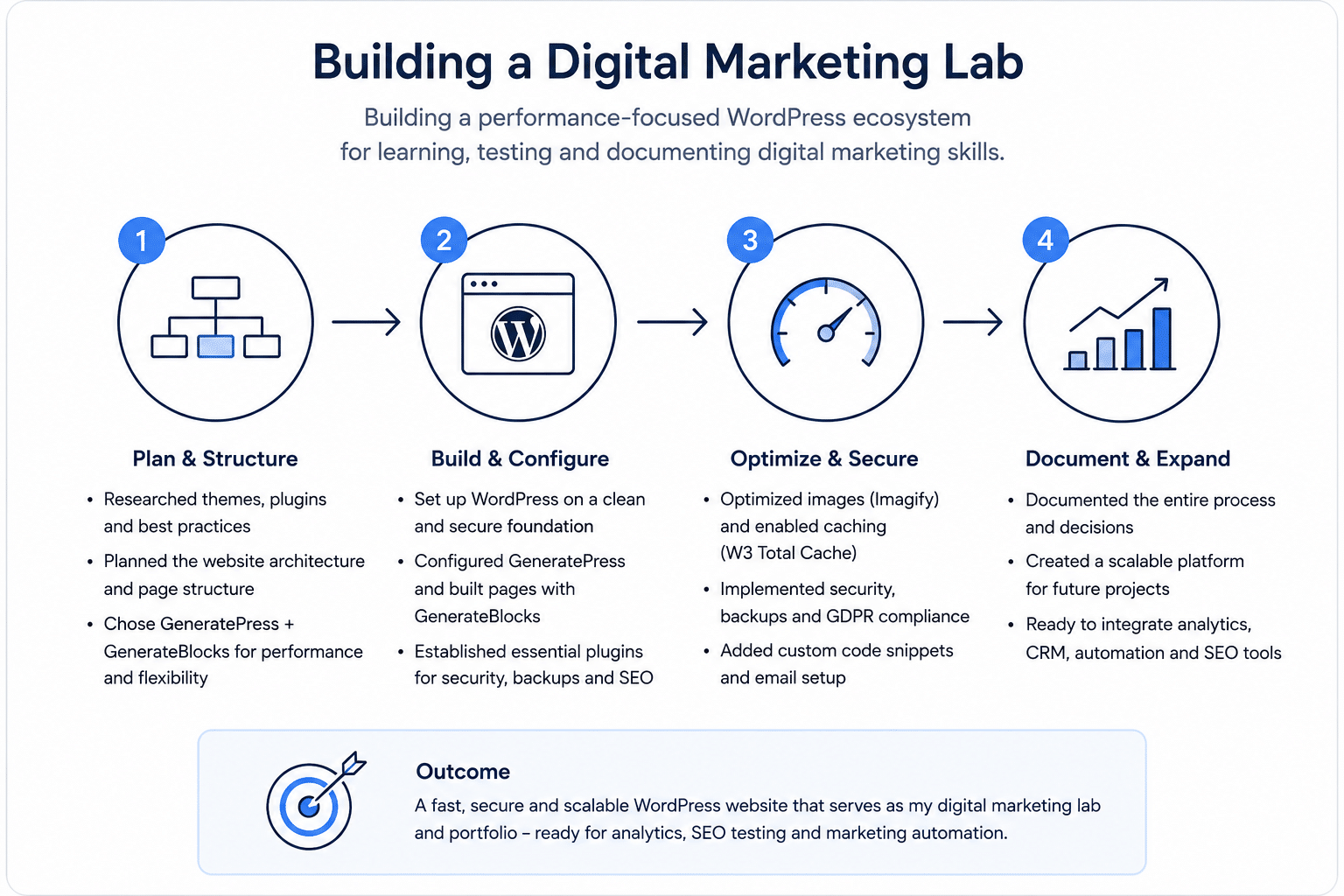
This project documents the creation of my digital marketing lab, a WordPress-based platform designed to develop, test, and showcase practical skills across SEO, analytics, marketing automation, and WordPress. Rather than building a traditional portfolio website, the goal was to create an environment where every new skill can be implemented, measured, and documented through real-world projects.
Table of Contents
- Overview
- Objectives
- Research
- Planning
- Implementation
- Tools Used
- Challenges
- Solutions
- Results
- Key Learnings
- Next Steps
- Resources
- Why This Project Matters
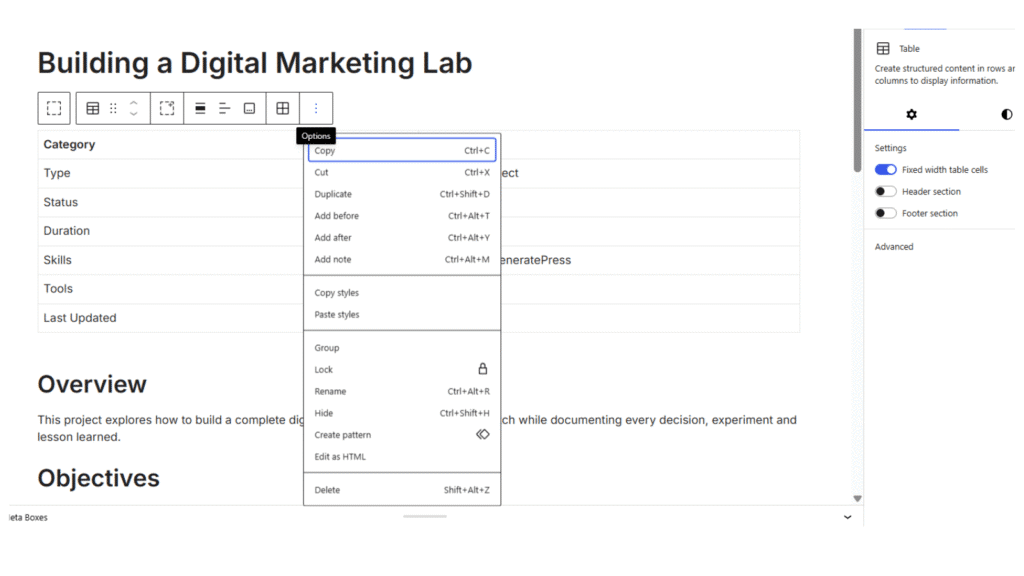
| Type | Portefolio Project |
| Status | Completed |
| Duration | 2 days |
| Skills | WordPress, Website Planning, Information Architecture, Technical SEO, Performance Optimization, UX, Documentation |
| Tolls | WordPress, GenerateWordPress, GeneratePress, GenerateBlocks, Code Snippets, Imagify, W3 Total Cache, UpdraftPlus, Yoast Duplicate Post |
| Last Updated | July 2026 |
Overview
This project documents the creation of a complete digital marketing ecosystem built from scratch. Rather than creating a simple portfolio website, the goal was to establish a platform where I can continuously develop, test and demonstrate practical skills across SEO, analytics, marketing automation, CRM, content marketing and WordPress.
The website serves both as my professional portfolio and as a long-term environment for experimenting with digital marketing strategies and technologies.
Objectives
The project was designed around several long-term objectives:
- Build a scalable WordPress website using modern best practices.
- Create a professional portfolio showcasing real projects and learning.
- Establish a platform for testing SEO, analytics and conversion optimisation.
- Prepare the site for future CRM and marketing automation integrations.
- Document the entire learning process through practical implementation.
Research
Before building the website I evaluated different approaches regarding hosting, themes, plugins and overall site architecture.
Areas researched included:
- WordPress theme performance
- Lightweight page building
- SEO-friendly website structure
- Security and backup strategies
- GDPR compliance
- Website performance optimisation
- Future integration with Google Analytics 4, Google Tag Manager and CRM systems
One important decision was choosing GeneratePress together with GenerateBlocks because of their strong performance, flexibility and clean code.
Planning
Rather than designing pages one by one, I first planned the complete website architecture in Xmind.
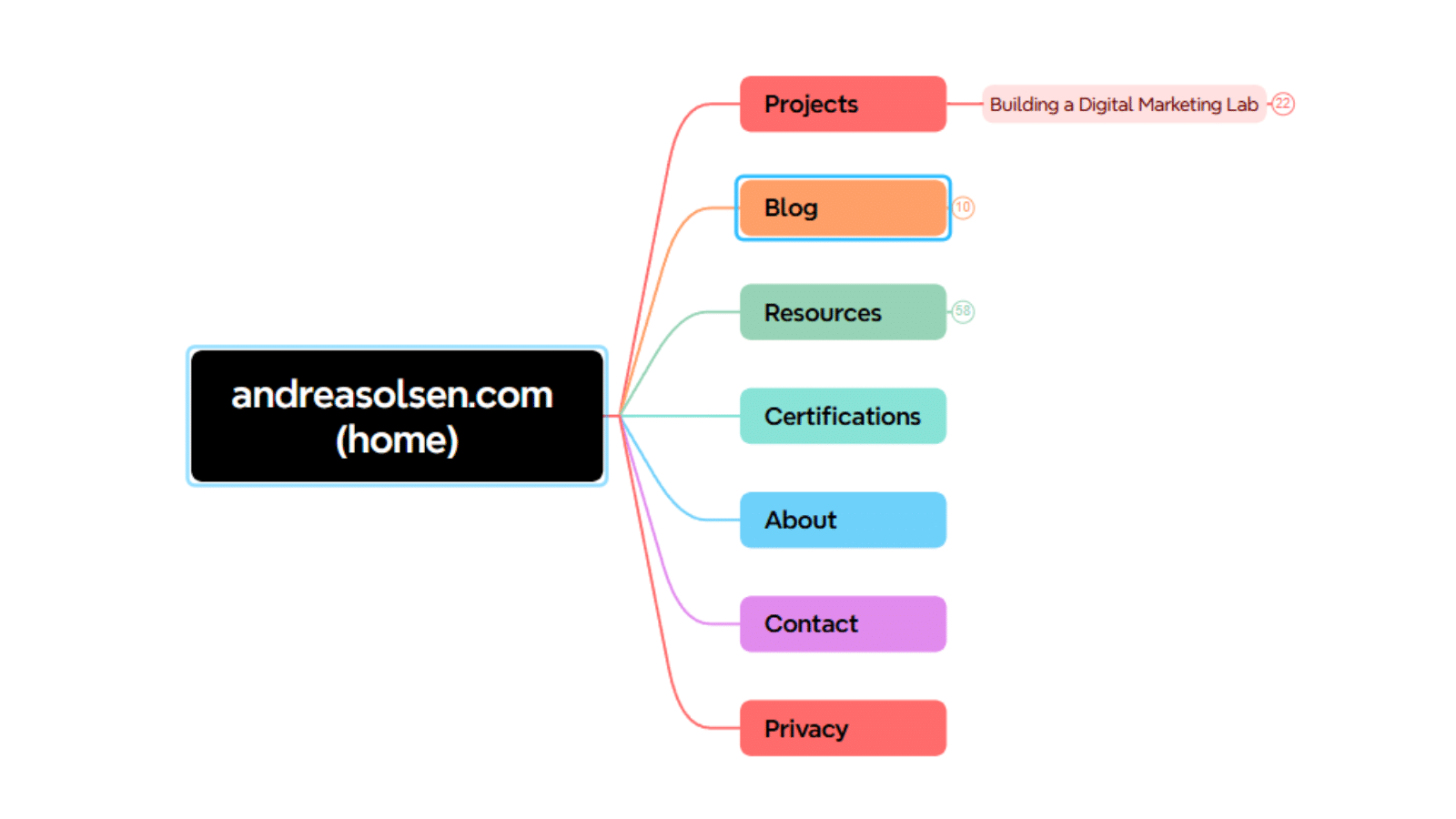
The structure includes:
- Home
- Projects
- Blog
- Resources
- Certifications
- About
- Contact
- Pricacy
The website was intentionally branded using my own name to remain flexible if my career direction evolves in the future.
The Projects section demonstrates practical implementation, while the Blog documents knowledge, research and learning.
Implementation
The website was built on WordPress using a lightweight and performance-focused setup.
Implementation included:
- Installing WordPress
- Configuring GeneratePress
- Installing GenerateBlocks
- Removing unnecessary default plugins
- Setting up security and automated backups
- Configuring image optimisation with Imagify
- Implementing caching with W3 Total Cache
- Creating a custom copyright snippet
- Building a clean page structure
- Setting a static homepage
- Configuring typography using Inter
- Using CSS to customise elements not supported by GeneratePress.
- Creating a professional email address
- Preparing privacy policy and GDPR compliance
The setup intentionally avoids unnecessary plugins to maintain performance and keep the website easy to maintain.
Tools Used
- WordPress
- GeneratePress
- GenerateBlocks
- Code Snippets
- Yoast Duplicate Post
- Imagify
- W3 Total Cache
- Really Simple Security
- UpdraftPlus
- WP Mail
- SMTP
- iubenda
- Notion
- Xmind
- Canva
- Genemi
- ChatGPT
- Simply.com
Challenges
One of the biggest challenges was avoiding unnecessary complexity.
WordPress offers thousands of plugins and themes, making it easy to create technical debt from the beginning. Instead of installing many tools, I focused on selecting only plugins that provided clear value.
Another challenge was balancing personal branding with future flexibility. Choosing my own name as the domain allows the website to evolve alongside my career rather than locking it into a specific niche.
Solutions
To address these challenges I focused on a lightweight architecture.
Key decisions included:
- Using GeneratePress for performance
- Keeping plugins to a minimum
- Implementing automated backups
- Preparing the site for future CRM and marketing automation tools rather than installing them immediately
This approach creates a scalable foundation without unnecessary technical overhead.
Results
The project resulted in a fully functioning portfolio website (andreasolsen.com) with a scalable architecture designed for continuous expansion.
Current outcomes include:
- Professional online portfolio
- Structured project documentation
- Optimised WordPress foundation
- Performance-focused setup
- GDPR-ready website
- Infrastructure prepared for future analytics, SEO and automation projects
The website now serves as the central hub for documenting future digital marketing projects.
Key Learnings
This project reinforced that successful websites depend more on planning than on plugins.
Key lessons learned include:
- Simplicity often improves long-term maintainability.
- Performance should be considered from the beginning.
- Careful plugin selection reduces future problems.
- Website architecture has a significant impact on scalability.
- Personal portfolio websites should function as evolving marketing assets rather than static online CVs.
Next Steps
The next phase of the project includes:
- Implementing Google Analytics 4
- Configure Google Tag Manager
- Connect Google Search
- Console Perform technical SEO optimisation
- Add HubSpot CRM
- Implement email marketing automation
- Build additional portfolio projects
- Publish SEO-focused content
- Create dashboards for analytics reporting
Resources
Why This Project Matters
This website is more than a portfolio, it is my digital marketing laboratory. Every new skill I learn is implemented, tested and documented here, making the website a living record of my professional development. Rather than completing isolated tutorials, I use real-world implementation to build experience across WordPress, SEO, analytics, CRM and marketing automation.
Thanks for visiting. Let’s connect on LinkedIn.